How to count words in handwriting
Free, no signup. Upload one photo on the handwriting count. I did this in desktop Chrome on macOS, October 13, 2026. The numbers were on screen in well under half a minute.
Two lines and a digit
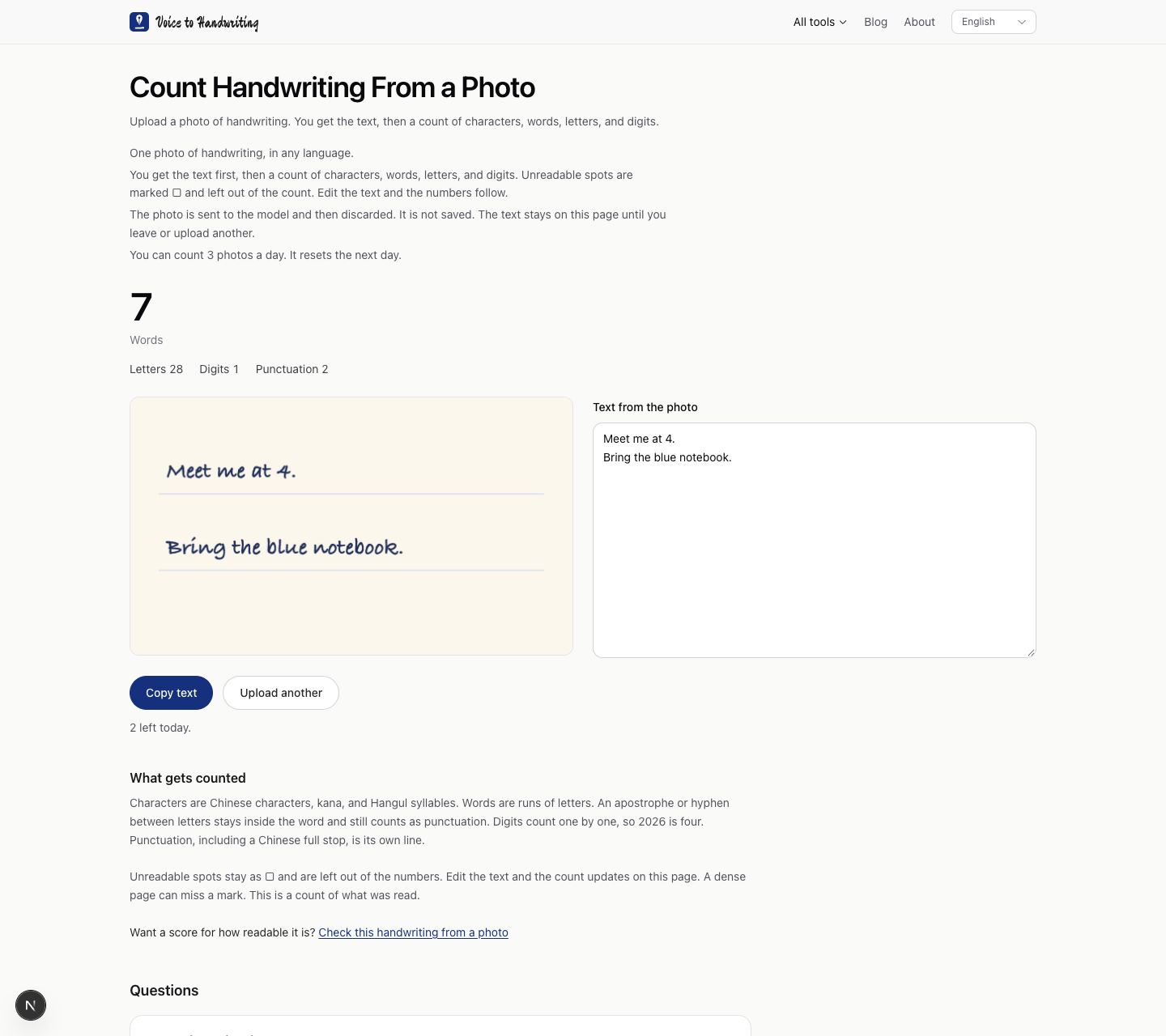
I did not photograph a notebook. I set the words in Bradley Hand on warm paper, with two blue rules:
Meet me at 4.
Bring the blue notebook.
I uploaded that JPEG on the handwriting count. The page said 3 counts were left for the day. After this one, it said 2.
Seven words, twenty-eight letters
The big number was 7, labeled Words. Under it: Letters 28, Digits 1, Punctuation 2.
The seven words are Meet, me, at, Bring, the, blue, and notebook. The 4 is a digit, so it is not an eighth word. Each period is punctuation. The blue rules stayed in the picture and did not appear in the text. No note sat under the numbers.
The box on the right held the same two lines, including the line break.
Change one letter
In that box I typed an s onto notebook. Letters moved from 28 to 29. Words stayed at 7. Digits and punctuation stayed put. The page did not upload the photo again.
What stays out of the word count
A word on this page is a run of letters. An apostrophe or a hyphen between letters stays inside the word and still counts as punctuation. This photo had neither.
Chinese characters, kana, and Hangul syllables count as characters, not as these words. This photo had none, so that number did not appear. A mark the page cannot read shows up as □ and is left out. This reading had none.
When you get no number
A blurry, cropped, or glared photo asks for another shot. A page with no handwriting comes back empty. Three counts a day in this browser, then the count resets the next day. The photo is discarded. The text stays on the page until you leave or upload another.
This was a screen font, not a pencil. A dense page can miss a mark. The count is of what was read.
If you want a score for how readable the same kind of photo is, that is the handwriting check. It does not count the words.