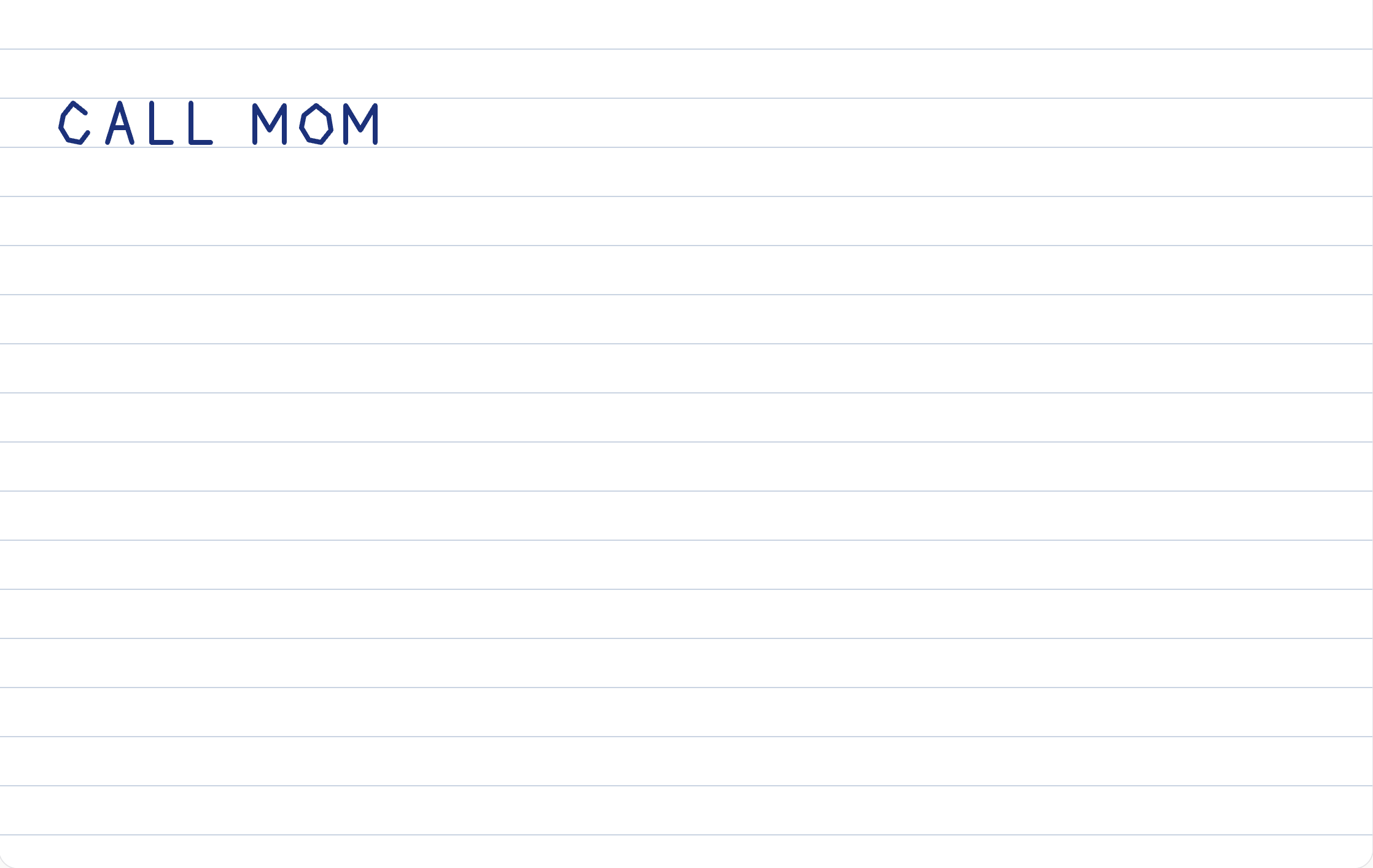
How to save a handwritten note from your phone
Free, no signup. Write on one sheet, download a PNG, and reload: the strokes are still in the browser.
I did this on desktop Chrome, macOS, October 12, 2026. The whole pass took a few minutes. The file is the sheet. The buttons are not in it.
The sheet I saved
Open the handwriting notepad. These are the controls I left in place, then wrote with a mouse:
| Setting | Value |
|---|---|
| Pen | on |
| Ink | Blue black |
| Width | Medium (4 CSS pixels) |
| Paper | Ruled |
| Words | CALL MOM |
Clear asks twice. The first click only arms the button. The second click removes the ink. The ruled lines stay, because they are the paper, not a stroke.
Download PNG writes handwriting-pad.png. I checked the blob the button builds: image/png, ruled lines and the eight letters, no toolbar. One screen is the whole file. There is no second page and no album.
Still there after a reload
I reloaded the same tab. Eight strokes came back, with ruled paper, blue black, and medium width. Nothing had been uploaded. The copy lives in this browser until Clear.
That is the save if you only needed the note to survive a refresh. The PNG is the copy you can move. One sheet only: Clear replaces it, so download first if you want the earlier note as a file.
Full screen, and a narrow window
Fullscreen fills the window with the sheet and the tools. Exit, or Escape, brings the page back, including the notes under the sheet. I checked both on the same browser the same day.
I also narrowed the window to 390 CSS pixels. The tools wrap onto more than one row. The writing stays one image. I have not held a phone for this. The page accepts a finger, and a mouse is what I used.
When this sheet is the wrong job
The strokes stay a picture. The page does not read the letters, score them, or turn them into a font.
If the words are already typed, the handwriting page sets them in a handwriting font. If the next step is blank paper and a pen, that is printable paper. The PNG here already has its lines. It is not a stack of sheets.